
Datum Mesh
Finite-element analysis on the desktop: stresses, deflections and temperatures in parts and frames.
For Mechanical, structural, process and aerospace engineers, students and lecturers.
What Datum Mesh is
Its purpose: to show any engineer or student how a part or structure carries load, heat and vibration (where it is stressed, how far it moves, how hot it gets) in a free app they can trust because it proves its own answers.
Datum Mesh finds the stresses, deflections and temperatures in parts and structures by the finite-element method. You draw a frame of beams and truss bars, or the outline of a part with its holes, put on the supports and loads, and solve.
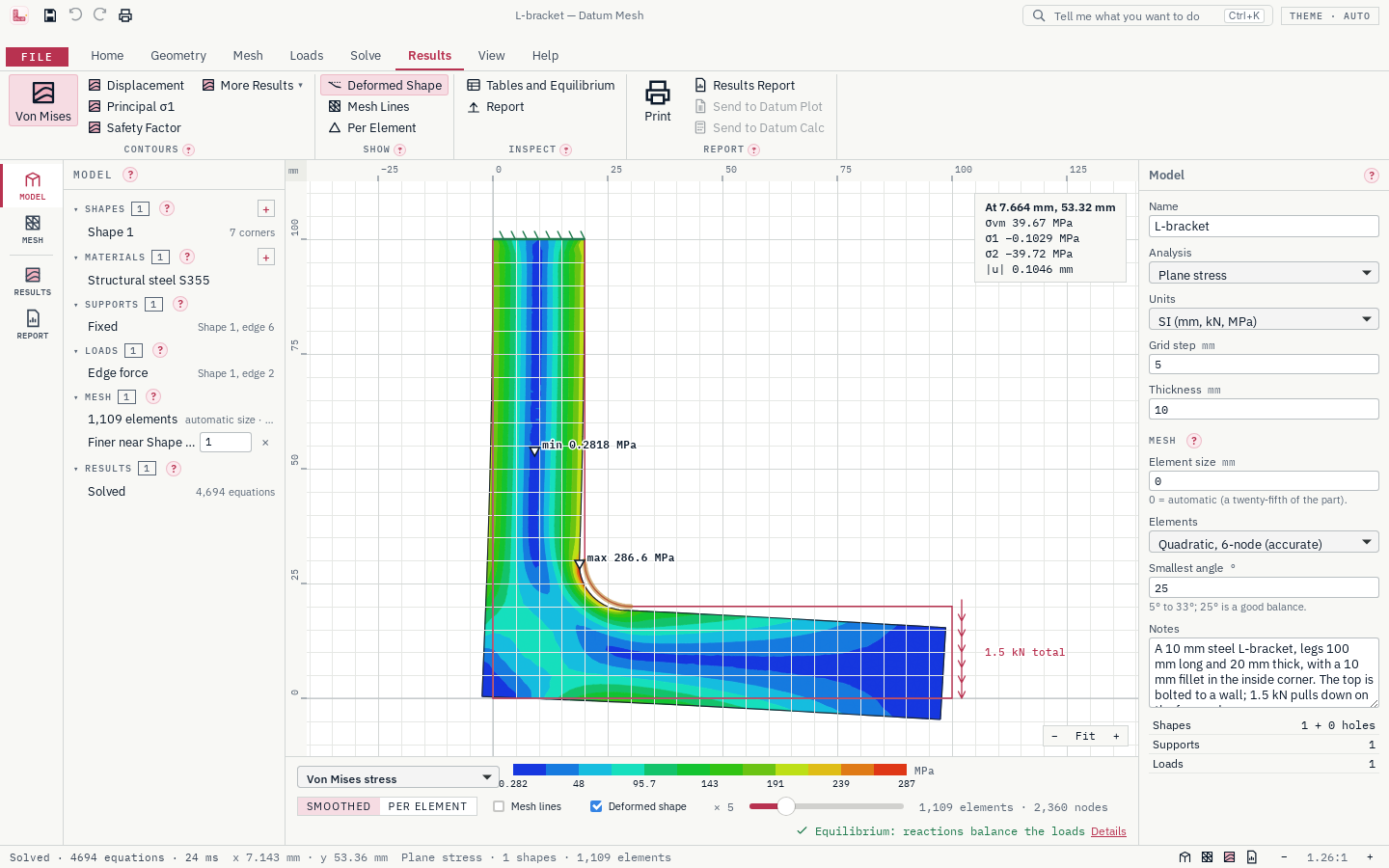
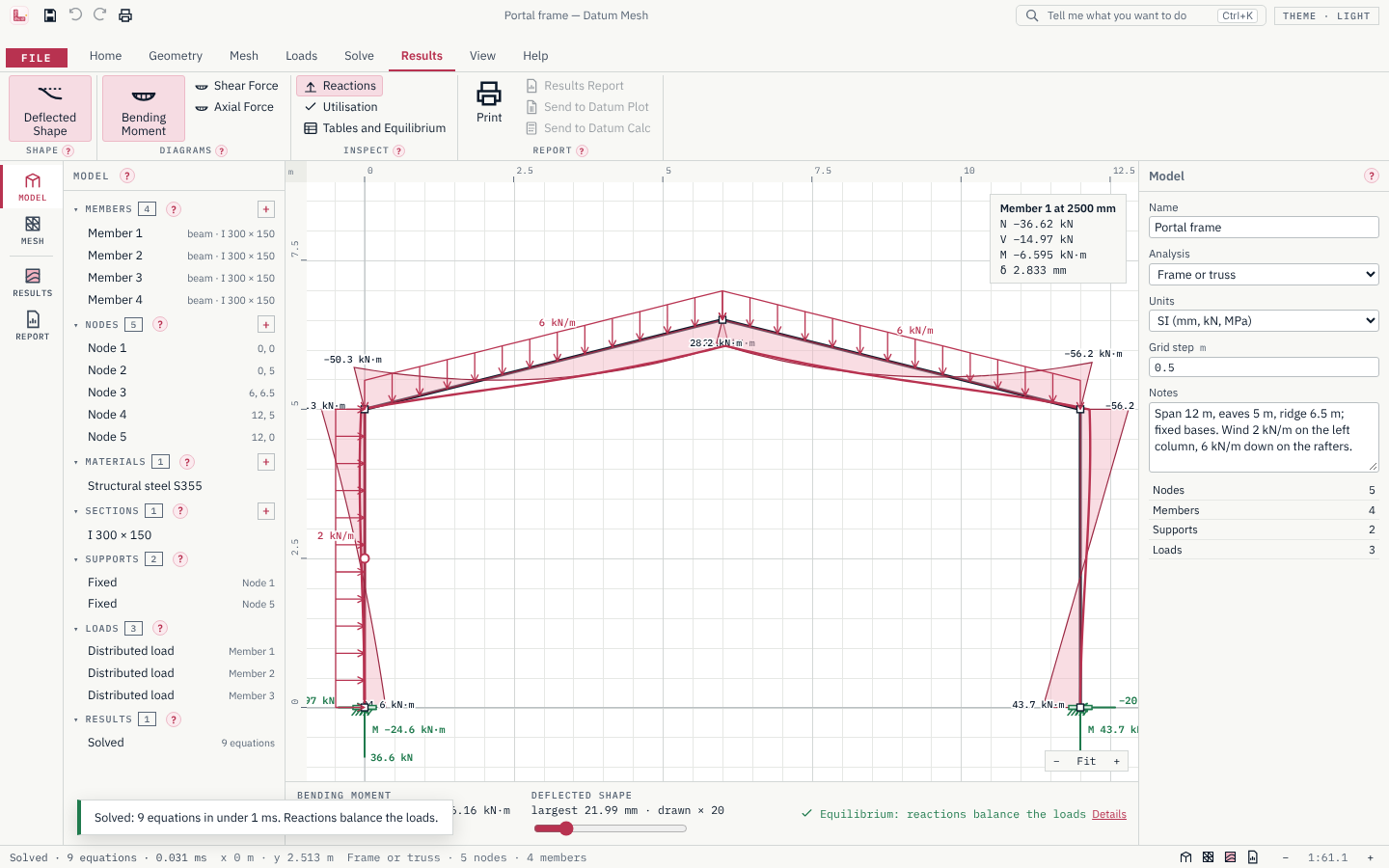
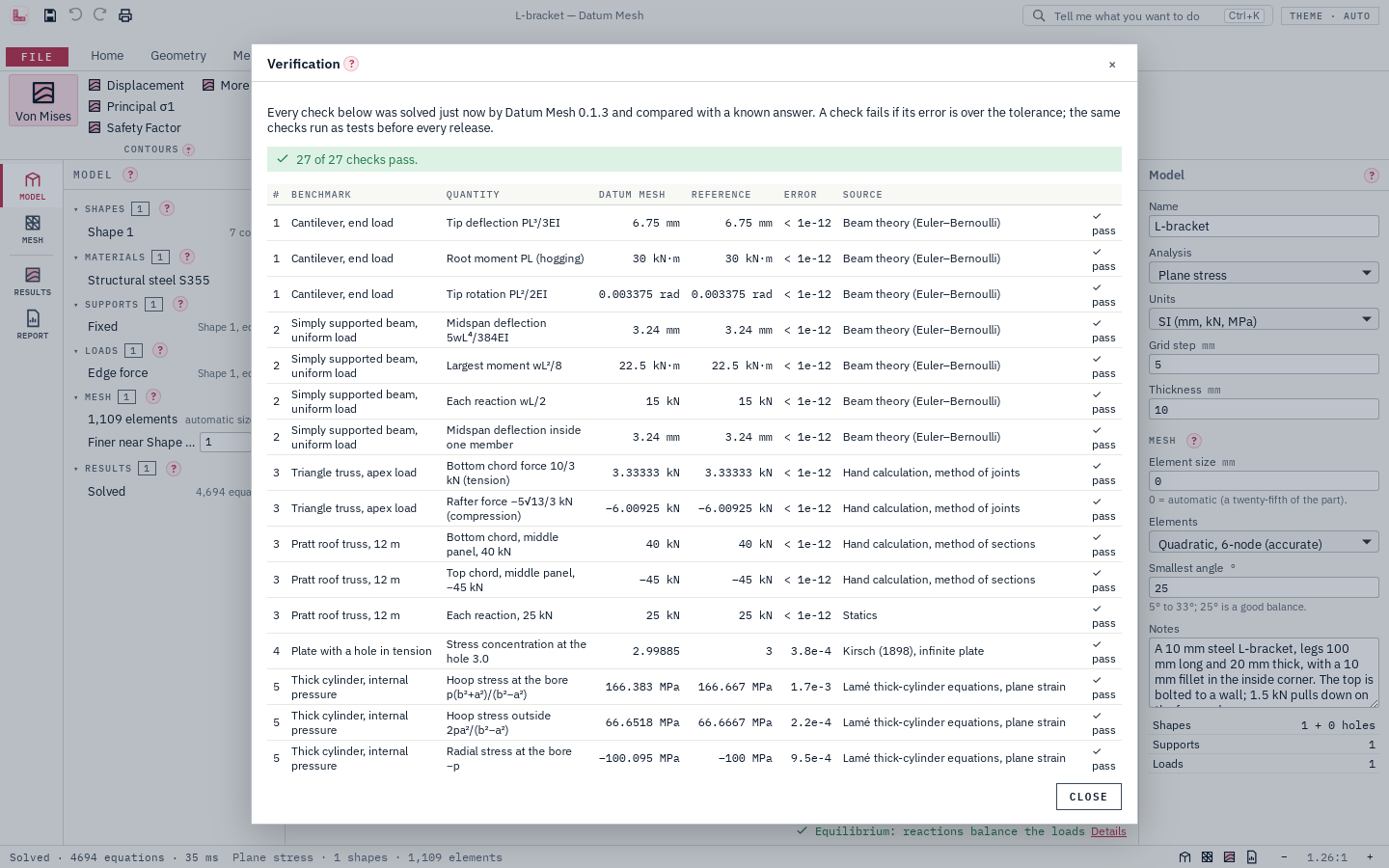
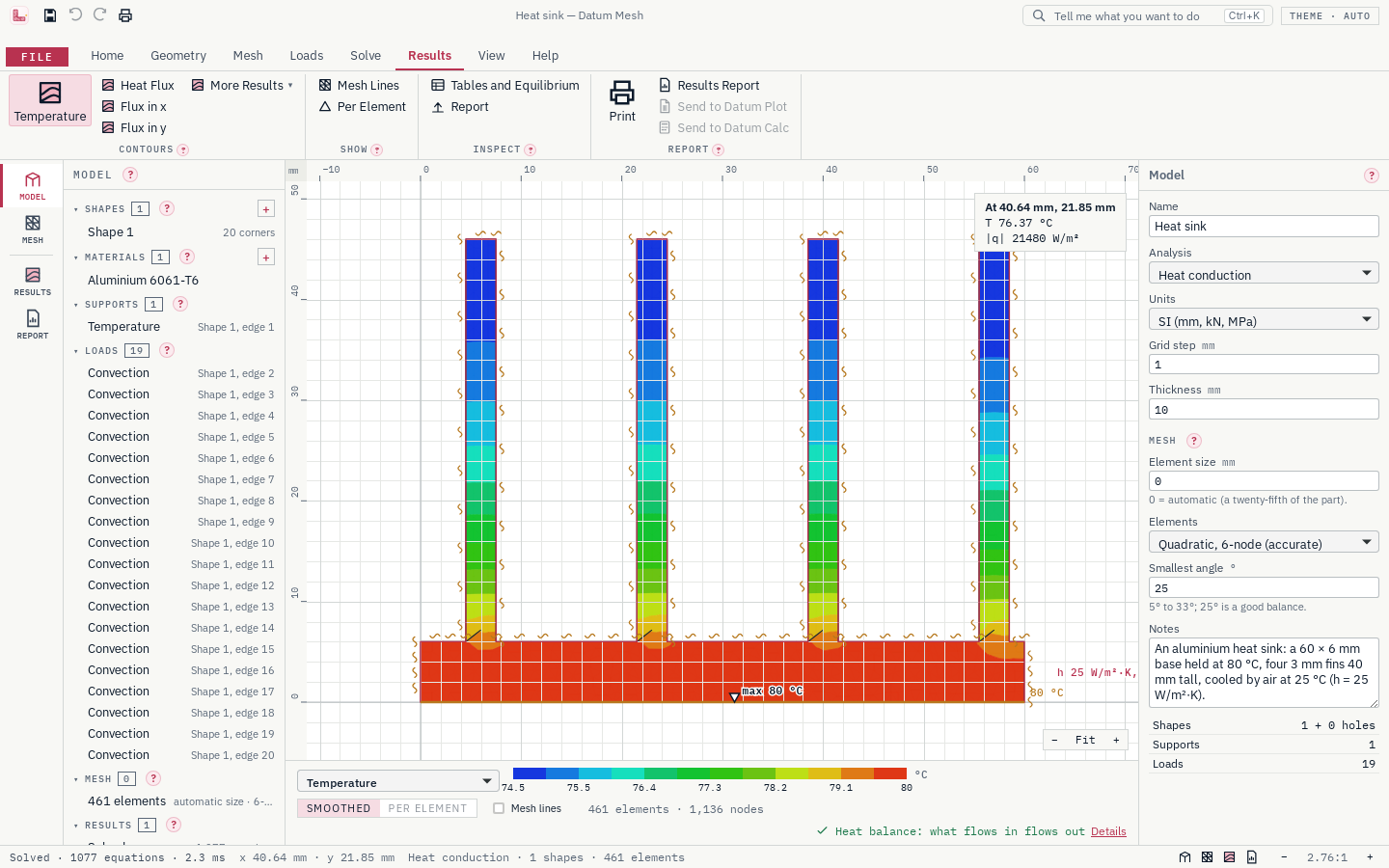
Frames and trusses give the deflected shape, the moment, shear and axial diagrams, the reactions and member utilisation. Parts are meshed into triangles and solved in plane stress, plane strain or steady heat conduction (with thermal stress from the temperatures), with contours of stress, displacement, safety factor and temperature, and a probe that reads any point. Every solve ends with an equilibrium check, and Help › Verification solves benchmarks with known answers in front of you (a plate with a hole, a thick cylinder, NAFEMS LE1, conduction, patch tests), so you can see how far to trust each result.
- Step 1
Draw and mesh
Draw a frame of beams and truss bars, in the plane or in 3D on working planes, or the outline of a part with its holes, shaped with rounds, bevels, cut-outs and patterns (extruded into a 3D solid if you like), on a grid with snap and rulers.
- Step 2
Load and support
Put supports, forces, pressures, gravity and heat on nodes, members and edges, and set their values with units.
- Step 3
Solve and report
Solve, read the deflections, stresses and temperatures, and print a report with the equilibrium check.
What it does
- A
Parts meshed automatically into quality triangles, finer where you ask, and solved in plane stress, plane strain or heat conduction
- B
Contours of von Mises and principal stress, displacement, safety factor, temperature and heat flux; hover anywhere to read values
- C
An equilibrium check after every solve (a heat balance for heat models): the reactions are added up against the loads
- D
Thermal stress: temperatures solved on the same mesh, then the stress they cause; uniform temperature changes in frames and parts
- E
Axisymmetric solids: pressure vessels, shafts and discs from their half-section, with hoop stress
- F
Natural frequencies and mode shapes of frames and parts, moving on screen
- G
Buckling of frames: load factors and buckled shapes, with every squeezed truss bar checked as a strut
- H
3D frames and trusses: drawn on front, side and plan planes, repeated into bays, seen in a 3D view, with natural frequencies and buckling
- I
3D solids: a part's outline extruded by its thickness, solved in 3D and coloured by its stresses in a 3D view
- J
Sketch tools: round and bevel corners, union, subtract and intersect shapes with arcs kept true, slots, rounded rectangles, polygons, offsets and patterns of holes
- K
Help › Verification: 94 benchmark checks with known answers solved in front of you, from beam theory, Euler columns, 3D frames and 3D solids to NAFEMS LE1, with mesh convergence and solve times
- L
Frames and trusses: draw members on a grid, press Solve, and see the deflected shape, moment, shear and axial diagrams and the reactions
- M
A materials library of 54 metals and plastics from Datum Atlas, each with its source
- N
Pin loads for lugs and clevises: the pin presses only where it pushes into the hole
- O
A printed report: the model, mesh, materials, loads, contour pictures with scales, the largest values, reactions and the equilibrium check
- P
SI or US units shown everywhere; files keep SI, so switching never rounds anything
- Q
Ten worked examples, from a portal frame and a roof truss to a steel platform in 3D and an L-bracket solid in 3D
- R
Small and quick: a 3 MB installer, a window that starts light, and solve times recorded with every release
Screens
Roadmap
- Nextv0.3.2–0.3.4
3D solids, continued
- Revolved solids (shafts, hubs, vessels) with symmetry faces; verified on NAFEMS LE10
- A cutting plane through the part and picking faces in the 3D view
- Heat conduction and natural frequencies of 3D solids
- DXF import of section outlines
- Laterv0.4
Any 3D part, and beyond linear
- STEP import of any 3D part, meshed with an open mesher that comes in the installer
- Yielding, large deflection and contact
- Laterv0.5
Flow
- Incompressible flow and conjugate heat transfer with open CFD solvers
- Goalv1.0
Validated
- A validation report covering every analysis type
- User guide
- Signed installer
Releases
v0.3.1Sketch tools: shape a part's section with rounds, bevels, cut-outs and patterns before it is solved.
Sketch tools: shape a part's section with rounds, bevels, cut-outs and patterns before it is solved.
Sketch tools (Geometry, and Format on a selected shape)
- Round Corners (fillet) and Bevel Corners (chamfer): any corner between two straight edges, one or all at once, at a typed radius or distance. ⌒ in the Inspector's corner table rounds just that corner.
- Union, Subtract and Intersect two shapes: click one, Shift+click the other. Arcs and circles stay true arcs and circles, so a support or load on a round edge is still on one edge. Rings left inside become holes. Supports and loads move to the edges they lie on, and an outline keeps its edge numbers where it can.
- Ready-made Slot, Rounded Rectangle and Regular Polygon from typed sizes, as a shape or a hole.
- Offset an outline in or out (a wall of a given thickness, a clearance round a hole); arcs keep their centres.
- Linear and Circular Patterns: copies of shapes in a row or round a centre (bolt circles), with the supports and loads on their edges.
- Every tool is one step to undo, and is in Tell Me (Ctrl+K).
Trust
- Help › Verification: 94 checks, all passing. New: benchmark 16, the areas of eight shapes made by the sketch tools against hand formulas (to 1 part in 10⁹), and the plate with a hole again, its hole cut by Subtract, giving the same stress concentration of 3.0.
- Random pairs of shapes (60 of them, circles, rectangles, slots and rounded rectangles) are combined all three ways: the areas always add up (union plus intersection equals the two shapes), and every result passes the model's checks and meshes.
v0.3.03D solids: a part's outline extruded by its thickness and solved in 3D.
3D solids: a part's outline extruded by its thickness and solved in 3D.
3D solids
- Home › 3D Solid: draw the outline and holes in Section, exactly as for a plane part, and set the thickness; the part is extruded along z and shown in the 3D view.
- Supports and loads go on faces: an edge in Section stands for its side face, and the back and front faces have their own buttons while a support or load is being placed. Fixed, roller and symmetry supports; pressures, face forces (now with Fz too) and gravity.
- The section's mesh is swept through the thickness in layers of wedges: 18-node wedges from the quadratic mesh (accurate), 6-node from the linear one. Layers are automatic, or set in the Inspector.
- Once solved, the surface is coloured by any of 14 results (von Mises, σ1, σ3, each stress and shear, the displacements, the safety factor) on the deformed shape; hover to read a value. The Results page and report give the largest and smallest values anywhere inside, with where, the reactions and the equilibrium check in six sums.
- New examples: the L-bracket as a 3D solid, and a blank 3D solid.
Quicker solves
- The sparse solver now uses every core of the computer, and big 3D models store half the matrix: about 90 000 unknowns of a 3D solid solve in about 6 s and 1.2 GB on four cores.
- A 3D solid is limited to 200 000 unknowns, with a message saying how to make the mesh coarser, so a too-fine mesh cannot run the computer out of memory.
Trust
- Help › Verification: 85 checks, all passing. New: a 3D patch test (a uniform stress reproduced to 1 part in 10¹⁴, with the thinning), a 3D cantilever against Timoshenko beam theory (0.005 %) and its bending stress, and a thick cylinder in 3D against Lamé (hoop stress 0.5 %, bore movement 0.003 %).
- Random 3D solids (40 of them) solve with their reactions balancing the loads in all six sums, or say why they cannot.
v0.2.63D frames vibrate and buckle; the app starts lighter and keeps to size and speed budgets.
3D frames
- Solve › Natural Frequencies and Buckling now work for 3D frames: beams bend both ways and twist as they vibrate, and buckle by bending about either axis. The shapes swing in the 3D view; the lists, tables and printed report are as for plane frames.
- Truss bars in compression are checked on their own about their weaker axis.
- Buckling in 3D is by bending only: twisting and lateral-torsional buckling of open sections (I, channel) are not checked yet, and the Results page says so.
Lighter and quicker
- The 3D view's code loads only when a 3D frame is shown: the window starts with a third of the code it had (282 kB, was 863 kB).
- The fonts are bundled once, not twice (the window is 1.1 MB, was 1.2 MB).
- Size budgets checked on every build: the installer stays under 5 MB, the window's startup code under 400 kB.
- Solve times are in the verification record: the examples solve in milliseconds, a fine mesh of 141 000 unknowns in about 1.5 s, and six frequencies of a 12-storey 3D building frame (147 000 unknowns) in about 2.3 s.
Trust
- Help › Verification: 76 checks, all passing. New: a 3D cantilever's frequencies across its width, across its depth and in twisting; a column buckling about its weak and then its strong axis; and the portal frame in 3D, whose plane frequencies and buckling factors are found again to 1 part in 10¹².
v0.2.5Windows now lists the publisher as Datum.
- Windows now lists the publisher as Datum.
v0.2.43D frames: frames and trusses in space, drawn on planes and seen in 3D.
3D frames
- Home › 3D Frame: beams that stretch, twist and bend about both axes of their section, and truss bars, anywhere in space. y is up and z is depth.
- Members are drawn on a working plane: Front (x-y), Side (z-y) or Plan (x-z), at a depth you pick or type; members off the plane are shown faint. The status bar reads x, y and z.
- The 3D view shows the whole frame with its supports and loads: turn it with the left button, pan with the right, zoom with the wheel; Front, Top and Iso buttons. Click nodes and members to select them, or to put supports and loads on them.
- Geometry › Repeat copies the selected members (or the whole frame) a step along any direction, with their supports and loads, and joins the copies with beams or truss bars: draw one frame, repeat it into bays.
- The Inspector takes z for nodes, Fz and moments about x, y and z, member loads along z, gravity in z, springs in all six directions, and the roll of a beam's section about its axis.
- Sections give the second moment about the other axis and the torsion constant J (thin-walled formulas for boxes, I and channel sections; your own values for custom sections).
Results in 3D
- Once solved, the members are drawn on their deflected shape and coloured by utilisation, axial force, torque, either bending moment, shear or deflection, with a colour scale. Hover a member to read N, Vy, Vz, T, Mz, My and the deflection.
- The Results page and the printed report have six sums in the equilibrium check, six reactions per support and every member's forces; the report draws the frame isometric.
Trust
- Help › Verification: 69 checks, all passing. New: a 3D cantilever bending each way, twisting and with its section rolled, under point and member loads; one along z; an L-shaped cantilever bent in plan, where bending and twisting add up; a tripod of truss bars; and the portal frame solved in 3D, giving the plane solver's answers to 1 part in 10¹³.
- Random 3D frames (150 of them) solve with their reactions balancing the loads, or say why they cannot.
Not yet in 3D: natural frequencies and buckling (plane frames have both).
Get Datum Mesh.
Free and open source (MIT). Installs in seconds for your user account, with no administrator rights, and updates itself from inside the app.