
Datum Plot
Analyse data and make publication-ready graphs: statistics, regression, curve fitting and page layouts, in one app for Windows.
For Scientists, researchers, lab teams and students.
What Datum Plot is
Datum Plot keeps data, analyses and graphs linked. Type or paste data into a table, choose an analysis, and the results and the graph follow; change a value and everything updates.
It covers the statistics most lab and research work needs, from t-tests and ANOVA to regression and curve fitting, explains each result in plain words with ready methods text, and makes figures ready for a journal: multi-panel layouts at journal sizes, exported as PNG, TIFF, SVG, PDF or EPS. Python runs inside the app, with nothing else to install, and a built-in console lets you run your own code on the data.
- Step 1
Enter the data
Choose a table for your kind of data and type, paste or import it (CSV, TXT, .xlsx, .pzfx, plate readers, many runs at once).
- Step 2
Analyse
Pick a test or a fit; the results, P values and methods text open on a results sheet linked to the data, and fits are drawn on the graph.
- Step 3
Graph and export
Style the graph, lay out the figure and export it at journal size.
What it does
- A
A linked chain: data tables → analyses → results → graphs → layouts. Change a value and every result and graph updates.
- B
Data tables for every kind of experiment (XY, groups, two factors, counts, survival, nested, many variables) and worksheets with units and column formulas that update as the data change.
- C
Import CSV, TXT, .xlsx and .pzfx files, plate readers and many runs at once; large data sets stay quick.
- D
Statistics: descriptive, normality, outliers, t-tests, nonparametric tests, one- and two-way ANOVA with multiple comparisons, nested t-tests and ANOVA, contingency tables, correlation, power, Bland-Altman, ROC, and survival analysis (Kaplan-Meier, log-rank, hazard ratios).
- E
Linear regression and curve fitting with a model library or your own equation, global fits and model comparison; multiple, logistic and Poisson regression, principal components and clustering on tables of many variables.
- F
Matrices and 3D: contour maps, heat maps and 3D surfaces, polar graphs, and surface fits (plane, quadratic, cubic, 2D Gaussian).
- G
Peaks and signals: find peaks above a baseline, fit Gaussian, Lorentzian or Voigt peaks, Fourier spectra and filters.
- H
Materials testing: tensile tests, Weibull strength, Arrhenius activation energies, S–N fatigue curves, and DSC/TGA thermal analysis (onsets, enthalpies, mass loss).
- I
Publication graphs: error bars, axis breaks (XY and column graphs), a second Y axis, annotations, colour-blind-safe colours, multi-panel figures and insets.
- J
Page layouts at journal sizes, posters and slides; export as PNG or TIFF (with CMYK), SVG, PDF or EPS, every graph as slides (.pptx) or a report with graphs, results and methods (.docx).
- K
Interactive graphs: zoom, pan, drag notes, exclude points with a right-click, and the statistics of any region.
- L
A Python console inside the app, with your tables as pandas DataFrames and a built-in guide; your own saved analyses, analysis templates, batch processing and notebook export.
- M
Safe and sturdy: projects never run code, saves never leave half-written files, damaged files open or explain why, and updates are checked against their checksums.
- N
Free and open source (MIT), Windows first, installs in seconds with Python inside, and updates itself.
Screens
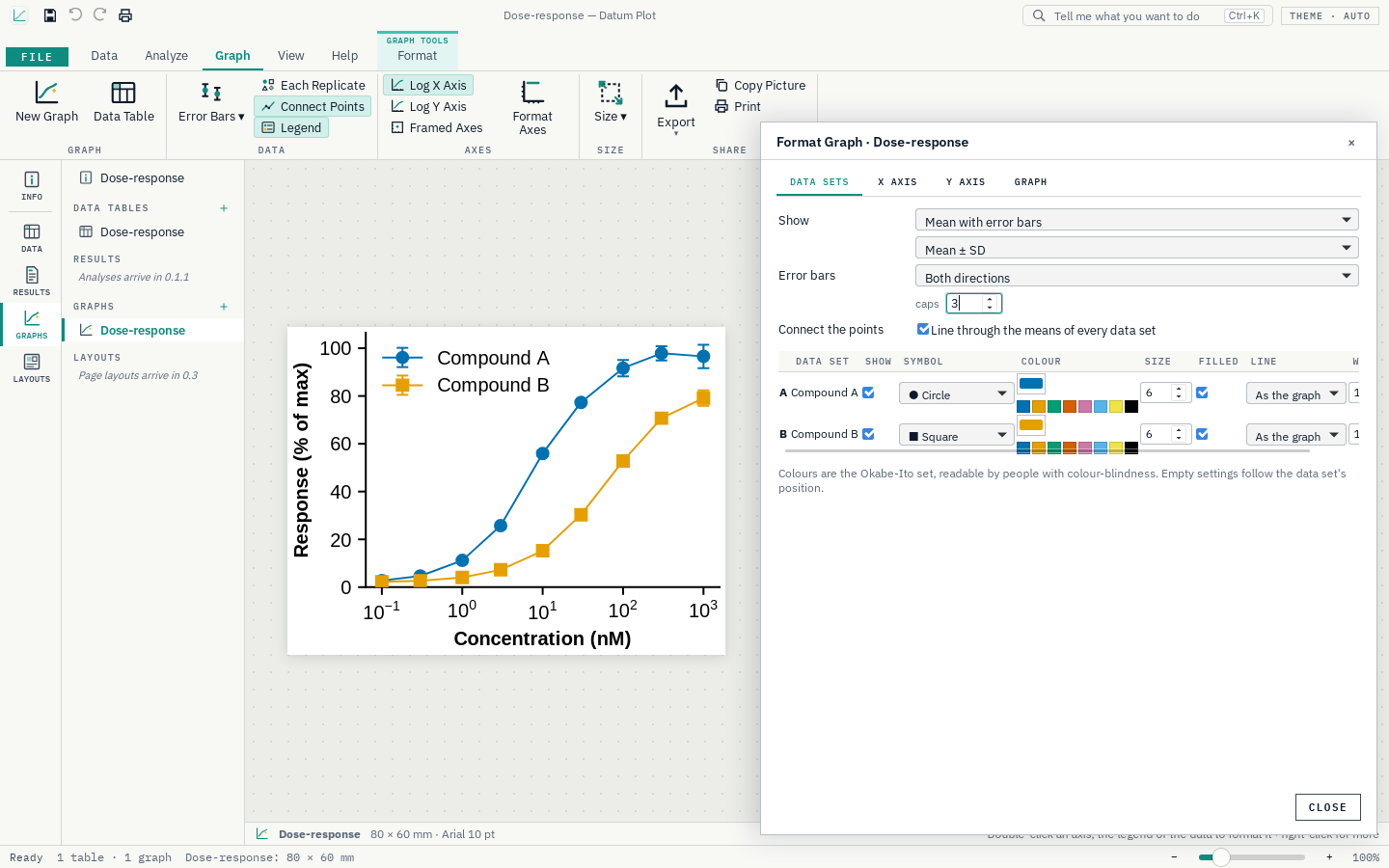
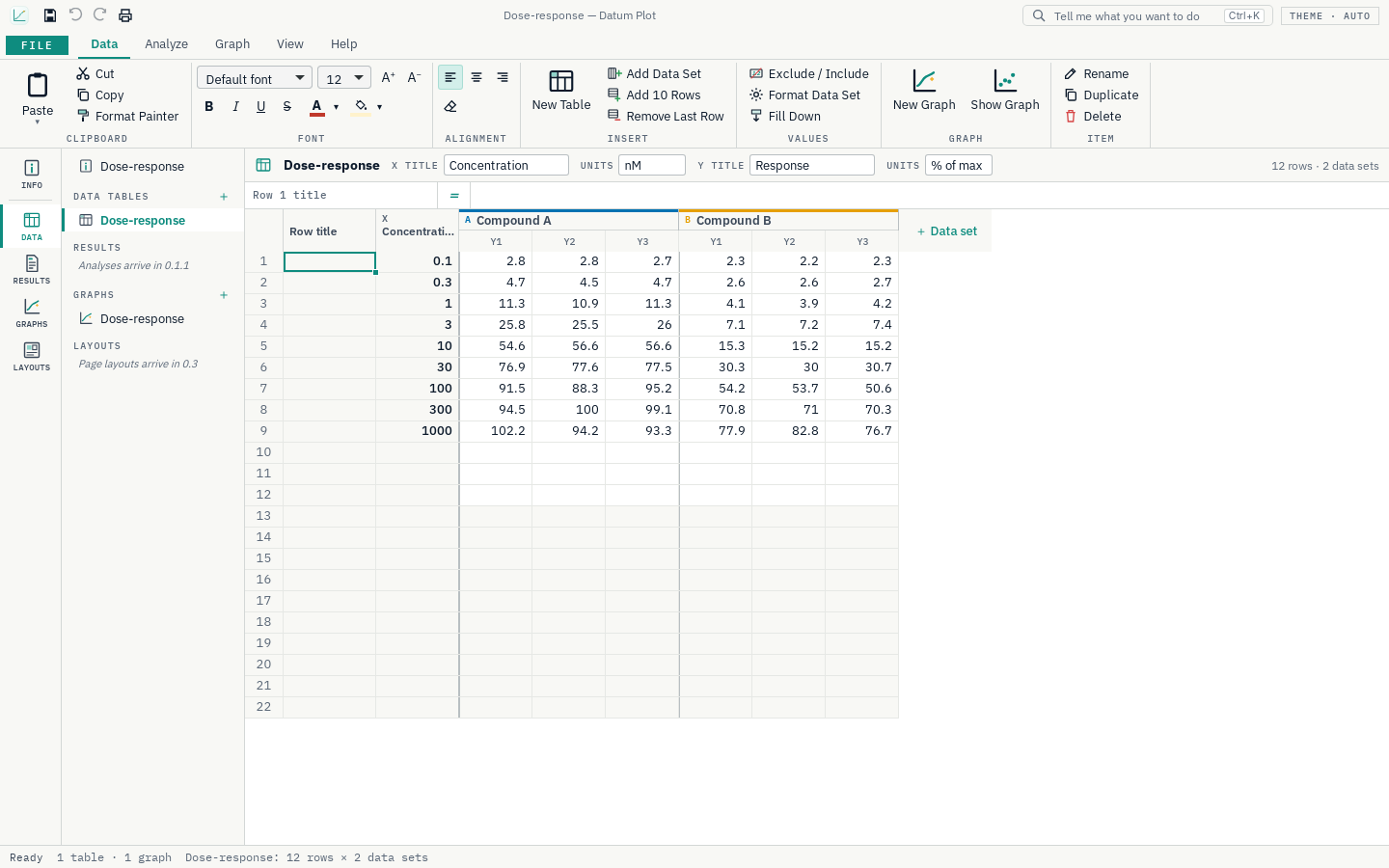
Roadmap
- Nextv1.0.0
Stable
- Signed installer
- Validation report against reference values
- User guide
Releases
v0.3.1The family publisher name.
Installer
- Windows now lists the publisher as Datum.
v0.3.0A full check of the whole application: security, robustness, reliability and speed. No new features; everything that was there works more safely.
Nothing is lost
- Saving a project, the options and every export (pictures, pages, .xlsx, .pptx, .docx, notebooks) now writes a temporary file first and swaps it in only when it is complete: a crash, a full disk or a power cut never leaves a half-written file.
- If something unexpected goes wrong inside the app during an edit, that one step is refused, your project stays exactly as it was, and the details go to
crash.login the app's data folder instead of closing the app. - A project whose internal numbers were damaged (repeated or impossible identifiers) is repaired on opening, with every graph, result and layout still linked to its data.
Safe files
- Graph settings out of range in a project file (sizes, fonts, angles, contour levels, marker sizes) are brought back within limits when it opens.
- Damaged or unreadable data files (broken workbooks, garbled text, cut-off .pzfx files) give a clear message instead of an engine error.
- Spreadsheet exports never contain live formulas: text that looks like one (starting with
=) is written as text. Notebook CSV files mark text starting with=,+,-or@so a spreadsheet will not run it.
Safe updates and window
- The updater accepts only an installer with the expected name, requires the release's checksum file, limits the download size and saves it in a new private folder.
- The window refuses frames, plug-ins, forms and remote scripts (a stricter content security policy).
Tested to break
- New robustness tests feed the engine hundreds of random and hostile projects and edit sequences, damaged and truncated files, and impossible values; they found and fixed one crash (pasting at an impossible position).
- An engine check runs every sample project through the real Python engine: every analysis, every graph type on every kind of table, every export format, layouts, slides, reports, notebooks and the console (532 requests, no failures).
- The checks now also run on Windows and macOS on every change.
Faster
- Typing a value in a very large table (a million rows) is about seven times quicker (0.05 s instead of 0.4 s): checking whether an edit changed anything no longer compares a million empty row titles one by one.
v0.2.23The Python console, your own analyses, templates, batch processing and notebooks; and a full security, robustness and hardening review.
Python console
- Tools › Python Console: write Python in the box, press ▶ Run (or Ctrl+Enter), and see what you print, the value of the last line and any figure you draw. Your tables are ready as pandas DataFrames (
tables,table(0),tables['Name']), with numpy, pandas, SciPy and matplotlib loaded.new_table(...)puts results back into the project andresult(...)reads an analysis's numbers. Variables last between runs. - How to use is built in: the ⓘ How to use button in the console and the ? beside it in the ribbon explain where to write, how to run, how to reach your data and how to put results back; Examples ▾ fills in working code to start from.
Your own analyses, templates, batches, notebooks
- My Analyses: save console code under a name and run it again from Tools › My Analyses on any project. It is kept with the app, never inside projects.
- Analysis Template: repeat one table's analyses (with their options) and its graph's look on other tables.
- Batch Process: choose a template table and many files; each file becomes a table with those analyses and a graph, and the answers are listed together.
- Notebook: save the project as a Jupyter notebook (.ipynb): its tables, each analysis's answer and the Python behind it.
- Every command in the ribbon now works: none are left “coming soon”.
Security and hardening
- Updates are installed only when the release's checksum file is there and matches the download exactly; links open only on this project's own pages.
- Project files with impossible sizes, and files larger than 1 GB, are refused or kept within limits (a million rows, 1000 data sets, 50 replicates) instead of exhausting memory; imported files are limited to 300 MB.
- Code never runs from a project: the console runs only what you type when you press Run, and My Analyses stay with the app.
- Every change is now also checked for known vulnerabilities in the window's packages and the bundled Python packages, as it already was for the Rust ones.
Robustness
- Every analysis was run on awkward data (identical values, a single value, gaps, empty cells, numbers near the limits) on every kind of table: where something cannot be worked out, it now says why in plain words instead of failing. Editing with impossible values (rows beyond the end, columns that do not exist) is refused safely.
- Tables can now hold up to a million rows (before: 100 000, and larger imports were cut off). Undo keeps fewer steps for very large projects, so memory stays bounded.
- A damaged .pzfx file, or an unexpected number in a result, gives a message instead of stopping the engine.
- Tools › Python Console: write Python in the box, press ▶ Run (or Ctrl+Enter), and see what you print, the value of the last line and any figure you draw. Your tables are ready as pandas DataFrames (
v0.2.22Large data, region statistics, importing projects, plates and many runs, and slides, reports and posters.
Large data
- Graphs with hundreds of thousands of points stay quick: a line is thinned to what the screen can show, and dense points are drawn as a picture inside SVG and PDF files while the text stays text. 200 000 points draw in about a second (before: over six) and export at 75 kB (before: 21 MB). Analyses of large tables are faster too.
Statistics of a region
- Right-click a graph › Statistics of a Region (or Graph › Zoom ▾), then drag a box over part of the curves: for each curve, the points inside, mean, SD, range, area, slope and highest point. Copy the table, or open a linear fit limited to that range.
Import
- .pzfx projects: File › Import reads every table of a .pzfx file (XY, column, grouped, contingency, survival, parts of whole and nested) with titles, replicates, row titles and excluded values, each with its graph.
- Plate readers: a sheet with a 96- or 384-well block (columns 1, 2, 3… and rows A, B, C…) is offered as a plate: a grouped table with rows A–H and columns 1–12, ready for a heat map.
- Several files at once: Data › Several Files reads many runs (tensile tests, spectra): one data set per file, in one table when they share their X values.
Slides, reports and posters
- Tools › PowerPoint: a 16:9 deck with a title slide, every graph on its own slide and a slide per result (.pptx).
- Tools › Word Report: the project's details, every graph with a numbered caption, every result with its answer and main table, and the methods text (.docx).
- Layout › Poster (A0) and Slide (16:9): a page with a large title and your graphs in a grid; graph text grows to suit the page. New page sizes: poster A0 and A1, slide 4:3.
Behind the scenes
- The built-in Python adds two libraries for slides and documents, so the first start after this update unpacks a new Python runtime (about a minute, once).
v0.2.21Testers' requests (axis breaks on column graphs, wider columns, empty columns left alone), and matrices with contour maps, 3D surfaces, polar graphs and surface fits.
Testers' requests (axis breaks on column graphs, wider columns, empty columns left alone), and matrices with contour maps, 3D surfaces, polar graphs and surface fits.
Your requests
- Axis breaks on column, grouped and nested graphs: Graph › Axis Break now works on dot plots, bars, box plots and grouped bars, not only on XY graphs (Format Graph › Y Axis › Axis break). Where a break cannot apply, the page says why instead of showing nothing.
- Wider columns: drag the right edge of any column heading to widen it, or double-click the edge to fit its name and values. Widths are saved with the project.
- More room for names: the × that deleted a data set from its heading is gone, so the name has the whole heading. Delete a data set from its right-click menu, or with Data › Remove Data Set.
- Empty columns stay out of the way: graphs and analyses already left out data sets without values; now the analysis dialogs leave them unticked and dim them, and Format Graph marks them “(empty)”, so 3 or 20 columns make no difference.
Matrices and 3D
- File › New Table › Matrix: Z values on an X–Y grid. X runs down the first column, the Y values are the column titles, and each cell is a Z value (Z title in the bar above the table).
- Its graph is a contour map (with contour lines), a heat map, a 3D surface or a 3D wireframe (Graph › Column Graph, or Format Graph), with a colour bar, a choice of colour maps, the number of contour levels and the 3D viewing angle.
- Polar graphs: Format Graph › Data Sets › Polar draws an XY graph with X as the angle in degrees and Y as the radius.
Surface fits
- Analyze › Regression › Surface Fit: fits Z = f(X, Y) to a matrix, or to three columns (X, Y, Z) of a table of many variables or a worksheet: a plane, a quadratic surface (with its maximum, minimum or saddle point), a cubic surface or a 2D Gaussian peak (centre, height and widths). Coefficients with standard errors and 95% CIs, R², and residual plots; on a matrix graph the fit is drawn as dashed contours or a wireframe.
- A new sample on the Home page, Hardness map: hardness across a weld on a 21 × 9 grid, with a 2D Gaussian fit of the hard zone.
Get Datum Plot.
Free and open source (MIT). Installs in seconds for your user account, with no administrator rights, and updates itself from inside the app.